
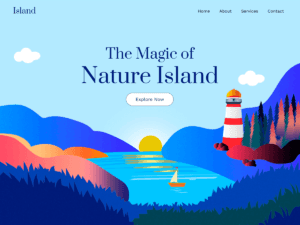
 I’m going to break down why website design is a big deal these days. Think about it: your website is often the first impression you make on potential customers. It’s not just about looking good; it’s about creating an experience. You want to strike that sweet spot between a design that catches the eye and a website that’s easy to use.
I’m here to help you understand that good design balances aesthetics with functionality. It’s tempting to go for the flashiest theme or the most avant-garde layout, but remember — usability and accessibility should be at the heart of your design choices. That’s going to include making the website easy to navigate, ensuring it’s accessible for all users, including those with disabilities, and creating a layout that guides your visitors to important information effortlessly.
This isn’t just about making something that looks pretty; it’s also about building something that works well and serves your users effectively. Stick with me, and I’ll show you how to marry form with function to create a killer web presence that stands out for all the right reasons. This approach not only satisfies your site’s visitors but also instills confidence in your brand from the get-go.
Determining Your Website’s Purpose and Audience
You’ve likely heard the phrase ‘start with the end in mind’, and that applies perfectly to website design. First things first: you need to nail down exactly why your website exists. Are you selling products, providing information, showcasing a portfolio, or offering services? This isn’t just about having a neat website; it’s about creating a tool that serves a precise purpose.
Now, who’s going to visit your site? That’s a big question. You want to consider who your ideal visitors are – think age, interests, occupation, and even the tech they might be using. You’re going to find out about their online behaviors, preferences, and pain points. This knowledge lets you tailor your design in a way that feels almost custom-made for them.
Designing for your audience’s needs and behaviors means more than just picking out pretty colors or fonts; it’s about constructing a user experience that resonates and responds. Your website should anticipate and cater to the needs of your visitors, ensuring each interaction is both meaningful and memorable.
The Role of Branding in Your Web Design
Have you ever landed on a website and instantly recognized the brand? That’s no accident. It’s the result of careful branding integrated into web design. Choose something that resonates with you and your audience when incorporating your brand into your website design. It’s not just about slapping your logo on the top left corner; it’s about creating a cohesive experience that reflects your brand’s values and personality.
A consistent brand presence on your website can help build trust with your visitors. This isn’t just about using the same colors and fonts; it’s extending to the tone of the content, the style of imagery, and even the type of user interface elements you use. Consistency reassures visitors that they are in the right place and establishes a professional image. Remember, every element on your website is a chance to reinforce your brand message.
A truly effective website weaves brand elements seamlessly throughout its design. This involves not only your logo and brand colors but also the mood set by your images, the voice used in your writing, and the overall narrative presented. Don’t worry too much about overdoing it, but do make sure that each aspect of your brand is represented in a way that genuinely aligns with who you are as a company.
Transition to next section: As you move forward with weaving your brand into every stitch of your website fabric, remember that the technical side matters, too. You’re going to find out about the crucial nature of mobile-first design. With more users than ever browsing on smartphones and tablets, ensuring your branded website translates well on mobile devices is key to maintaining that brand consistency and providing a fantastic user experience.
The Importance of Mobile-First Design
Think about this: You’re on the go, relying on your smartphone to check out new websites, maybe a cool blog or a potential purchase. I’m going to give it to you straight: if a website isn’t mobile-friendly, chances are you’re going to bail on it. That’s the reality for most folks these days.
You’re going to find out about the significance of a mobile-first approach to web design. In a world where smartphones are practically extensions of ourselves, having a website that looks and works great on a tiny screen isn’t just a nice-to-have – it’s a must-have.
Now, mobile responsiveness isn’t just slapping together a site that shrinks to fit various screen sizes. It’s about designing a website with mobile users as the priority. This includes simplifying menus, optimizing images, and ensuring touch controls are finger-friendly.
In my opinion, prioritizing mobile design means you’re respecting your users’ time and ease of access. It’s also vital for maintaining SEO rankings since search engines like Google prioritize mobile-optimized sites. Don’t worry too much about the desktop experience becoming obsolete, though, because a well-executed mobile-first design is typically fluid and adaptable across all devices.
Choose something that resonates with you and your brand, but remember, the user experience should always lead the charge. So, if you think this is all about making things look pretty on a smartphone, you’re only partly right. Really, it’s about providing a seamless and enjoyable experience no matter where or how someone is accessing your website.
Simplicity and Navigability: Key Factors in User Experience
If you’re aiming for a website that resonates with users, simplicity and navigability should be your watchwords. Here’s the thing: an intuitive site structure means your visitors can find what they’re looking for without a hitch. Don’t worry too much about implementing elaborate designs that may confuse your audience. Instead, choose something that balances aesthetics with user-friendliness.
Let’s talk about navigation. You’re going to want to design a clear path that guides users exactly where they need to go. Think of your website as a map – your users need clear signs and landmarks, or in this case, menus and buttons that are easy to spot and understand. An over-cluttered interface can create a maze that frustrates visitors and increases your bounce rates.
Embrace white space. Yes, it might seem counterintuitive, but white space is a vital component of web design. It’s not wasted space; it’s a powerful tool that helps with readability and content prioritization. By effectively using white space, you direct attention to the most important elements on your page, creating a natural user flow.
Now, there’s a lot happening very quickly in the world of web design, but always shoot for a hierarchy that is logical and seamless. This includes a prominent display of your main services or products, obvious calls to action, and making sure that secondary information doesn’t overshadow your primary messages. Remember, your first attempt doesn’t need to be your last – you can always adjust your approach down the road.
Now that you’ve got the navigational aspect down, you’re probably wondering about the visual elements. That’s going to include colors and fonts, which we’ll delve into in the next section.
Selecting the Right Color Scheme and Typography
I’m going to let you in on a little secret: the right combination of colors and fonts can make or break your website’s design. It’s not just about looking good; it’s about creating the right emotional cues for your visitors.
Every color tells a story, and you’re going to find out about how to tap into the psychology of colors. Green can evoke a sense of growth, while blue may instill trust. Choose something that resonates with your brand’s identity and message.
Then, there’s typography. It’s not merely a vessel for your content; it speaks volumes about your brand. Do you want to exude sophistication? Maybe a sleek serif font is right for you. Going for something more modern? A sans-serif could be your best bet.
Your choices should strive for more than aesthetic appeal; they need to be legible and accessible to everyone. That’s going to include ample contrast between text and background, larger font sizes for readability, and a firm handle on spacing.
Just don’t focus too much on perfection. You can always adjust your approach down the road based on user feedback and changing trends. But for now, pick a palette and font that strengthen your brand and resonate with users.
Optimizing Your Website’s Speed and Performance
You’re going to find out about the critical role that website load times play in keeping your visitors engaged. Slow-loading pages are a surefire way to increase bounce rates. In today’s fast-paced digital world, users expect pages to load almost instantaneously, and if that doesn’t happen, they won’t stick around. That’s a big deal for any site owner.
So, how do you shave off those crucial seconds and keep your website quick and responsive? First, it’s about optimizing images and media content. Large files take longer to load, but with the right tools and compression techniques, you can significantly reduce their size without sacrificing quality. Next, consider using a content delivery network (CDN) to speed up load times for users around the world by caching content closer to where your audience is.
Also, pay close attention to the web hosting service you choose. A good hosting service can make or break your site’s performance. Look for hosts that offer excellent uptime, speed, and customer service. Don’t overlook the importance of keeping your website’s backend tidy as well. Regular updates to the platform, themes, and plugins can boost performance and security.
It’s not all about what’s happening on the surface. The backend code of your website needs to be clean and efficient. Minimize the use of heavy frameworks and libraries that can slow loading times. Simultaneously, streamlining code by minimizing JavaScript and CSS files can also lead to quicker interaction times.
Lastly, keep an eye on analytical tools to monitor your site’s speed and performance. Tools like Google PageSpeed Insights offer valuable insights into where your site could use a tune-up. Remember, even if you’re not a tech wizard, there are professional web developers and tools out there that can help you optimize your site’s speed and keep it running smoothly.
Incorporating SEO Best Practices into Design
I’m going to let you in on a little secret: SEO and website design go hand-in-hand. It’s not just about throwing in a few keywords here and there; it’s about building an SEO foundation from the ground up. Here’s how you can make sure your website design is not just good-looking, but also optimized for search engines.
First up, think about your site structure. Search engines love websites that are easy to understand and navigate. This means having a clear hierarchy, with a proper header structure that uses H1s for main titles and H2s and H3s for subheadings.
You’re also going to find out about the importance of high-quality images that are optimized. Large, unoptimized images can slow down your site, which can hurt your ranking. Use alt text to describe your images—it helps with accessibility and gives search engines more context.
Next, consider your URLs. They should be clean and descriptive. Stay away from long, confusing strings of numbers and letters. Instead, choose URLs that include keywords and give users a hint about the page content.
If you want to further boost SEO, make sure your site is rich with internal linking. This helps distribute page authority throughout your site and makes it easier for users to navigate.
Don’t worry too much about the intricacies of SEO; start with these core principles and adjust your approach down the road as needed. Remember, a well-designed website considers both the user and the search engine bots crawling your site.
Now, let’s transition to content. As you’ve got the SEO-friendly design down, it’s time to focus on what fills the pages. And trust me, content is far from just filler—so let’s talk about creating valuable and engaging content that keeps users coming back.
Testing and Feedback: The Path to Design Perfection
Now, you might assume once your website looks good on your screen, it’s ready to go live. But wait, there’s more to it. Testing and feedback play a pivotal role in refining your web design to near perfection. See, this isn’t just about looking good; it’s about functioning well for anyone who visits your site.
A/B testing, or split testing, offers you a scientific approach to comparing different versions of your website. By seeing which version performs better in terms of user engagement or conversion rates, you’re equipped to make informed design improvements.
But don’t rely solely on numbers. Real user feedback provides context to the data. Engage with your audience, whether through surveys, comments, or usability tests, to glean insights into their experiences. You’re looking for honest, actionable feedback that can direct your design revisions.
Lastly, keep track of your website’s success with clearly defined metrics. These might include user engagement rates, time spent on site, or conversion metrics. By regularly reviewing these indicators, you’re not just adjusting your approach; you’re continually enhancing your website’s design and, by extension, your users’ experience.
Remember, your first attempt doesn’t need to be your last. The digital world is always evolving, and so should your website. Take these steps to test, learn, and improve, and you’ll find that your website design truly resonates with your users. I really hope that you embrace this ever-changing journey. Your site is not just a project—it’s an evolving component of your brand that can always be perfected.